
FrameSift
Sort thousands of videos and photos by orientation in seconds, right on your Mac.
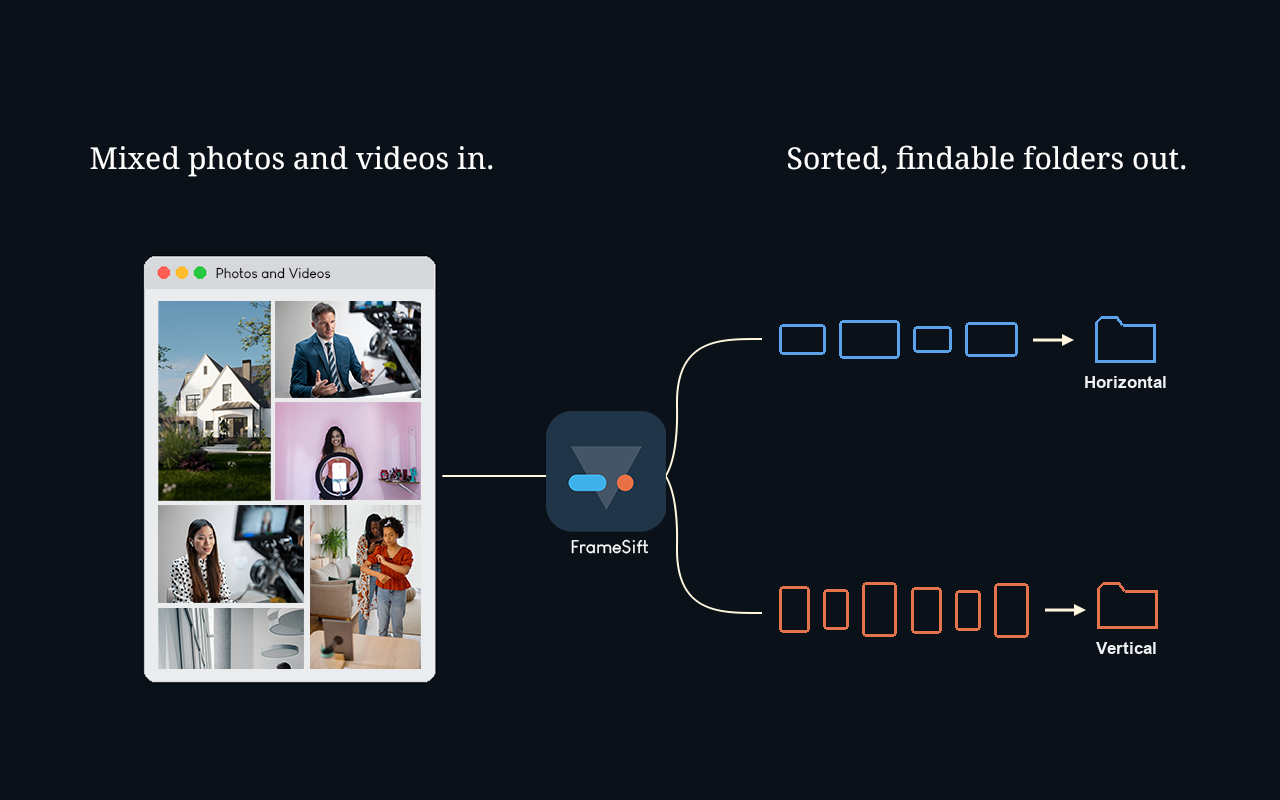
The problem.
Finder can sort by name, date, size, and kind. Not by orientation.
Sorting hundreds of files means checking each one to see if it’s horizontal or vertical, then dragging it into the matching folder. Do that by hand and it’s slow and easy to mess up. FrameSift skips all of that: no manual sorting, no folder-by-folder dragging, no double checking you got it right.
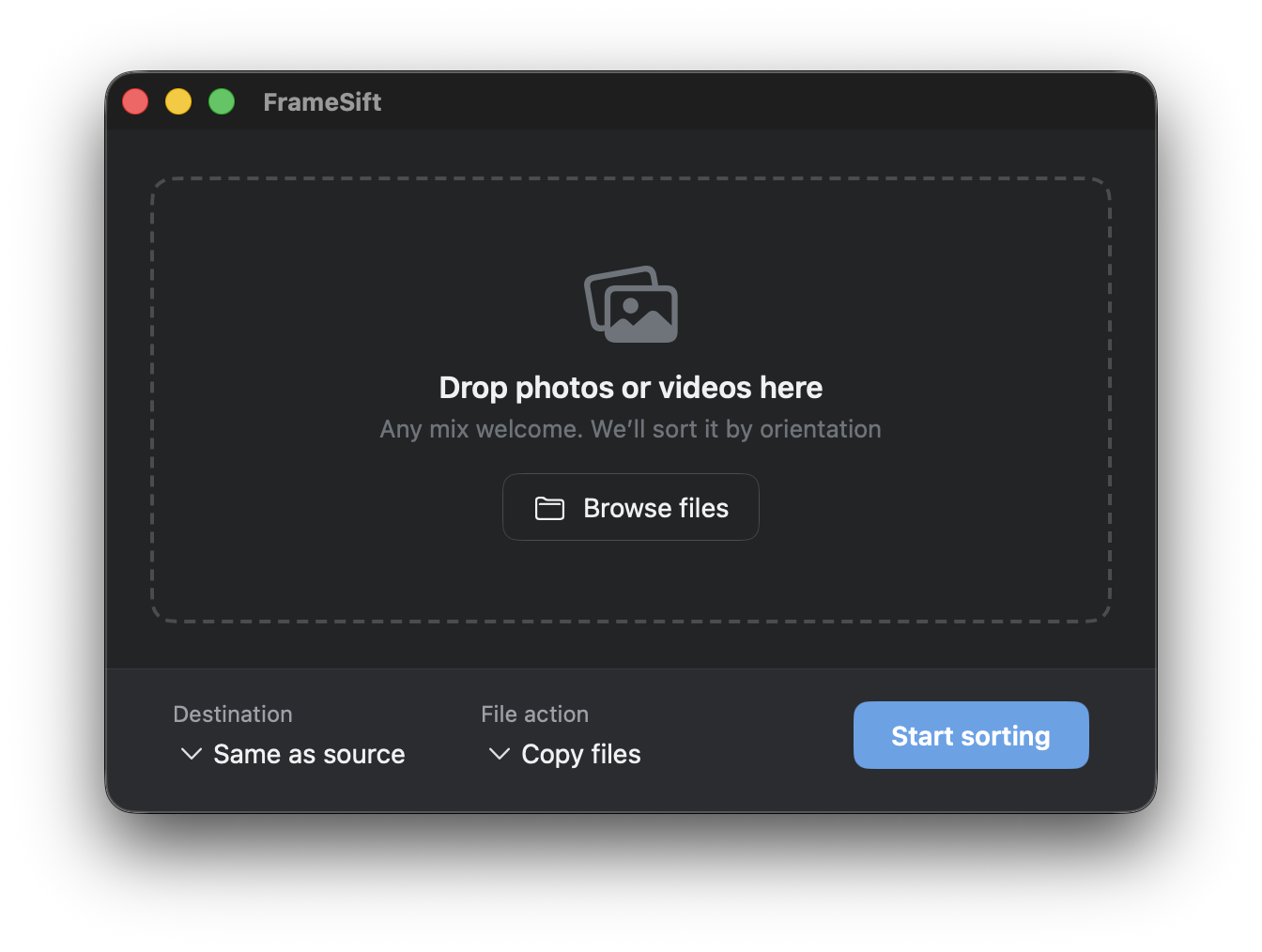
How it works. Drop in your files, or an entire folder, and FrameSift checks each one by orientation and sorts it into place in seconds. It reads videos and photos through the same engine built into every Mac, so it already supports everything your Mac does, from everyday formats to camera RAW (the full list is further down the page). No extra setup needed.
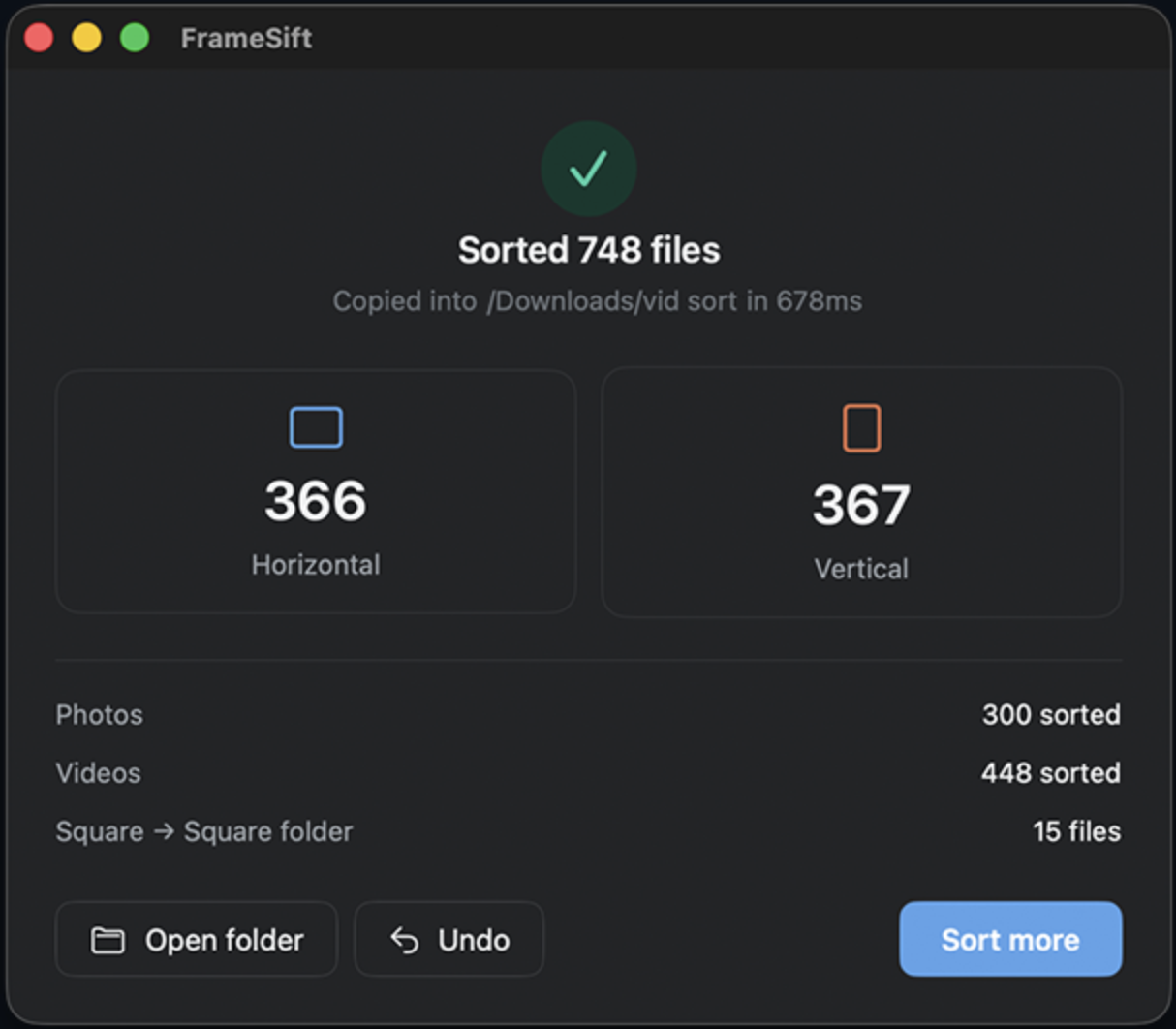
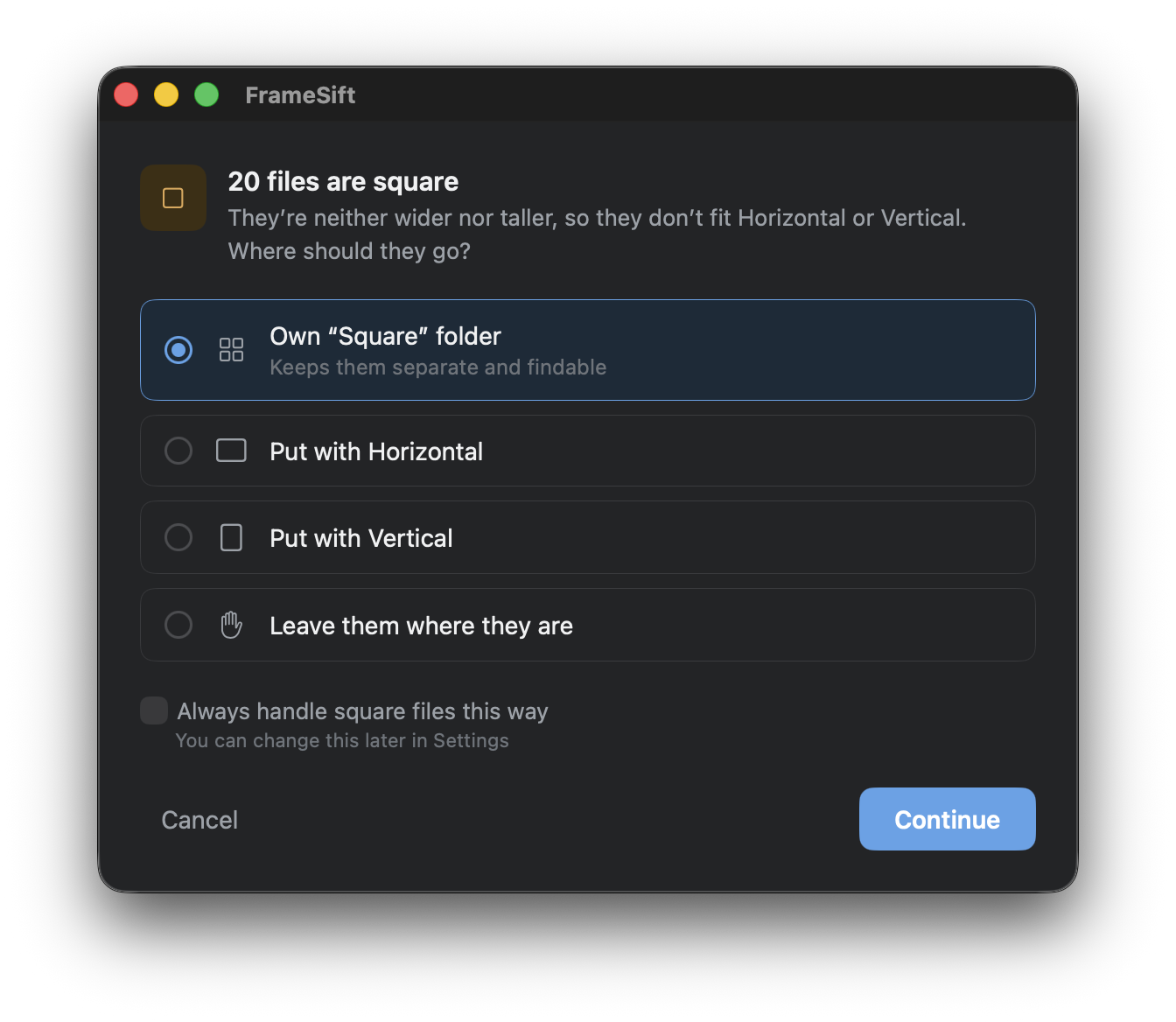
The edge cases. Square files get handled however you choose, and if something goes sideways, undo puts everything back in one click.
What matters. No manual sorting. Nothing leaves your Mac. Just drop in a folder, and get back to the part of the work that’s actually yours.
A few of the ways people put it to use.
Content creators
Post day, 9pm
Squinting at thumbnails, piling up clips before you can even edit.
With FrameSift
Every clip split for Reels or YouTube in seconds.
Video editors
Before the edit
Opening take after take just to see which way it was filmed.
With FrameSift
Footage lands pre-binned, ready for the timeline.
Photographers
Back from a shoot
Combing through the haul to separate portrait from landscape, frame by frame.
With FrameSift
Two clean stacks before the cull begins.
Anyone with a backlog
Long overdue
Camera rolls and screen recordings you keep meaning to deal with, someday.
With FrameSift
Someday takes a few minutes.
What FrameSift does
The details that make it work.
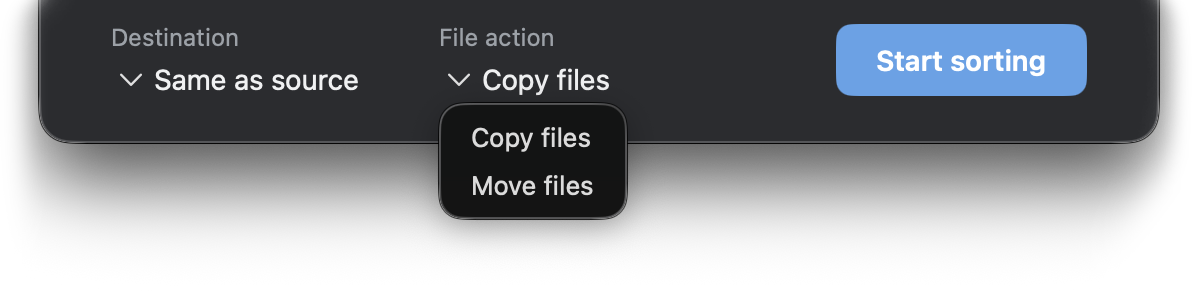
Copy or move, your choice
Sort into new folders while leaving your originals untouched, or move them instead.
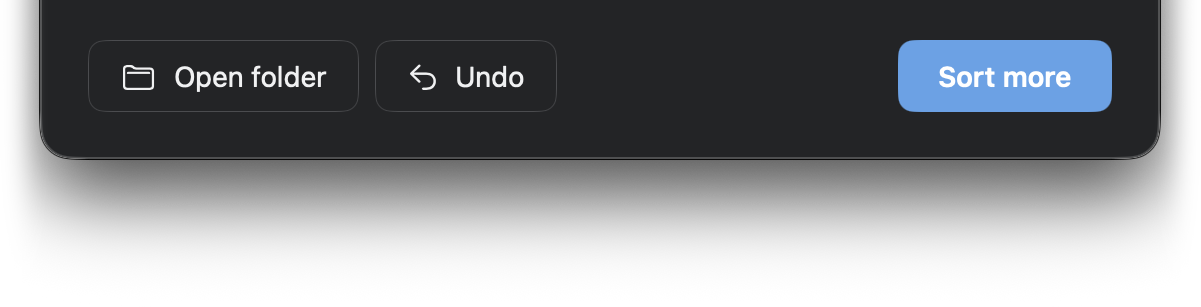
Undo in one click
Made a mistake or changed your mind? Undo any sort in one click, right from the results screen.

Fast, batch sorting
FrameSift processes thousands of images in seconds, sorting each one by orientation as it goes.
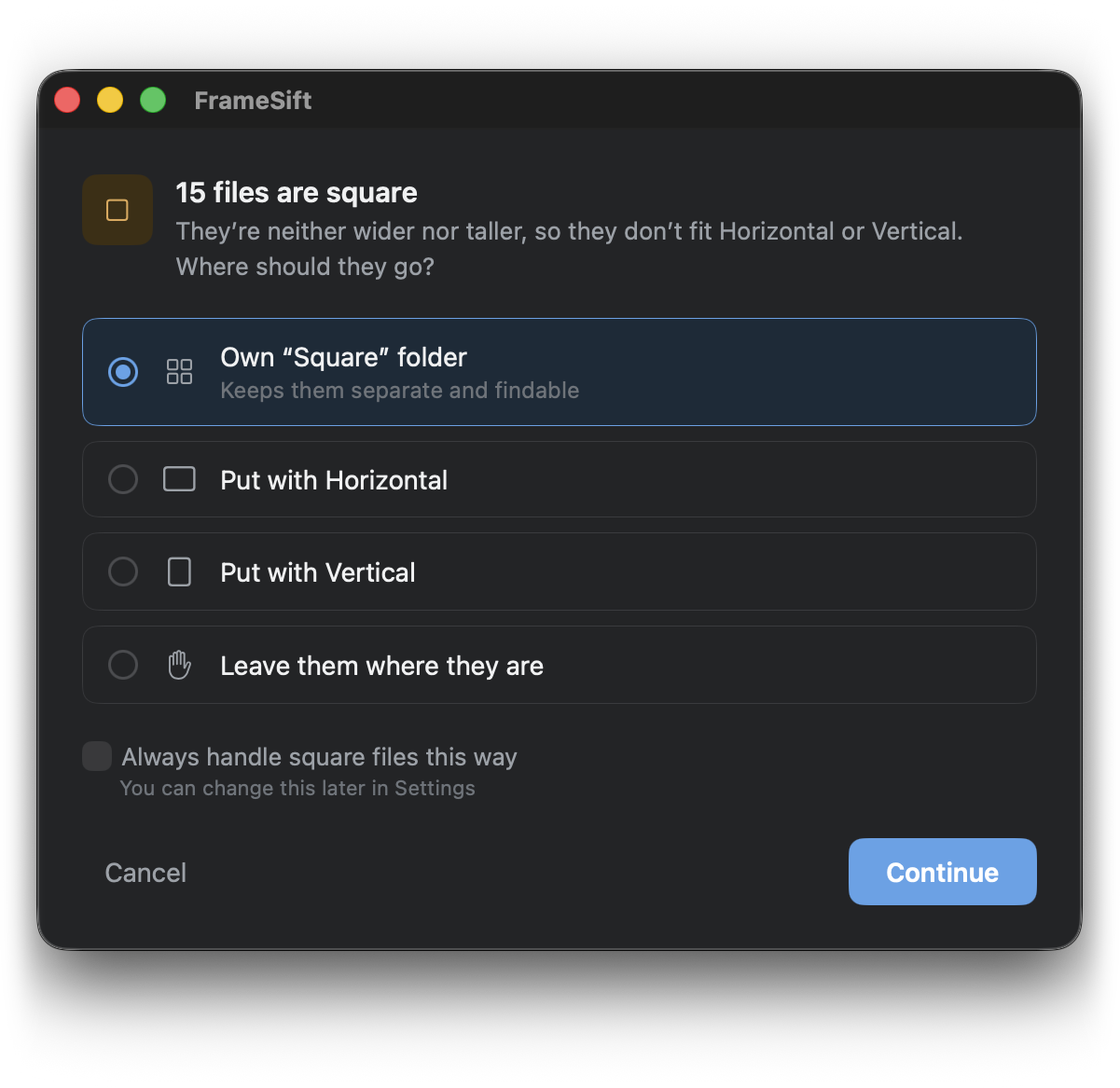
Square files, handled your way
Give them their own folder, group them with Horizontal or Vertical, or leave them where they are. FrameSift remembers your choice.
It Also is
Private by design
Everything runs locally on your Mac. Nothing is uploaded, and no account is required.
Sort files anywhere
Sorted folders land right next to your originals by default, or you can choose any destination you like.
Videos and Photos
Drop in any mix of videos and images. FrameSift sorts them by orientation.
Video Type: MOV, MP4, M4V, MPEG (MPG, M1V, M2V), 3GP, 3G2, AVI, DV, FLC, and MTS/M2TS. And more…
Image Type: JPEG, PNG, HEIC/HEIF, TIFF, GIF, BMP, WebP, JPEG 2000, JPEG XL, PSD, OpenEXR, TGA, PICT, ICO, ICNS, MPO, Radiance HDR, PBM, and camera RAW formats (CR2, CR3, CRW, NEF, NRW, ARW, SRF, SR2, ORF, RW2, RAF, PEF, DNG, RWL, SRW, MRW, FFF, MOS, DXO, 3FR, IIQ, DCR, KDC, ERF, MEF). And more…
Nothing leaves your Mac
FrameSift collects zero personal data
and sends zero usage data anywhere.
FrameSift works entirely offline. Your files are sorted on disk:
nothing uploaded, no account required, no usage data collected.
It’s built to be trusted with all your work and personal files.
$3.99
One-time purchaseNo subscriptionNo ads
FAQs
Does FrameSift need an internet connection?
No. Everything runs locally on your Mac, so nothing is uploaded and no account is required.
What is every file type that FrameSift supports?
By design, there isn’t one fixed list. Instead of checking a file against a set of extensions, FrameSift asks your Mac whether it’s a video or a photo. That means it automatically works with new formats as Apple adds them, and can even pick up a few extra formats if you have specialized video or photo apps installed. The formats listed above are the ones every Mac supports right out of the box. As a rule of thumb: if your Mac can open or preview a file, FrameSift can likely sort it.
Can I undo a sort?
Yes. Every batch sort can be undone in one click from the results screen.
Which macOS versions are supported?
FrameSift runs on macOS 14.6 Sonoma or later.
Does this work in Light Mode and Dark Mode?
Yes. FrameSift automatically follows your Mac’s Light or Dark Mode setting, no toggle needed.
Will FrameSift move or copy my files?
Your choice. Pick “Copy files” to sort into new folders while leaving your originals untouched, or “Move files” to relocate them instead.
Can I choose where sorted files go?
Yes. By default, sorted folders are created right next to your originals, but you can choose any destination folder instead.
What happens to square files?
You decide: give them their own “Square” folder, group them with Horizontal, group them with Vertical, or leave them where they are. FrameSift can remember your choice so you only have to set it once.
Will FrameSift overwrite files with the same name?
No. If a filename already exists in the destination folder, FrameSift adds “(2)”, “(3)”, and so on instead of overwriting anything.
Does undo still work after I close FrameSift?
Undo covers your most recent sort and is available right after it runs. Once you close FrameSift or start a new sort, the previous one can no longer be undone.